How to Choose the Best IT Vending Machine for Your Business?

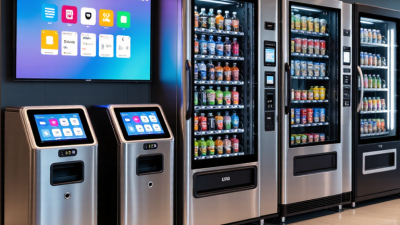
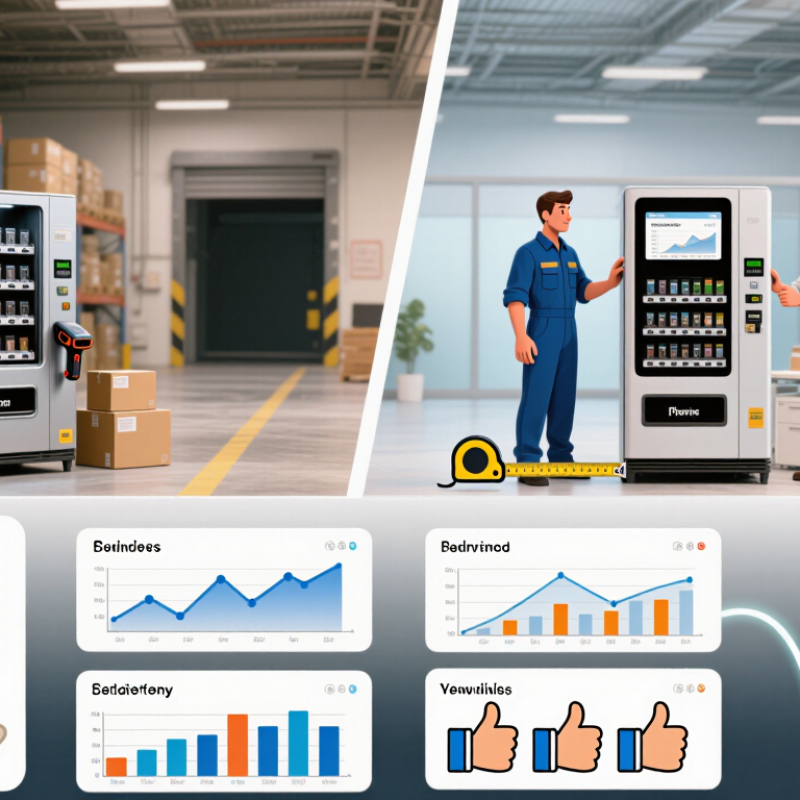
Choosing the right it vending machine starts with a clear understanding of your workplace, not with a glossy product brochure. A busy warehouse may need rugged hardware, barcode scanning, and quick access to gloves or cables. An office may value compact design, quiet operation, and a simple touchscreen. The best machine supports real work without creating another administrative burden.

Begin by reviewing your inventory data, employee habits, and replenishment schedule. Which items disappear quickly? Which products remain untouched for months? A reliable it vending machine should offer accurate tracking, secure storage, and easy access for authorized employees. Look for systems that provide usage reports, low-stock alerts, and integration with your existing inventory software. These details can reduce waste and help managers make evidence-based purchasing decisions.

Physical conditions matter too. Measure the installation area, check power requirements, and consider network reliability. A machine placed beside a loading dock may need stronger protection from dust and impact. Vendor support is equally important. Ask about installation, maintenance response times, software updates, training, and warranty coverage. A low purchase price can become expensive when support is slow.

Do not overlook user experience. If employees need several confusing steps, they may avoid the system. Test the interface with actual staff before committing. Their feedback may challenge your assumptions. There is no perfect choice. However, a careful comparison of security, capacity, reporting, durability, and total operating cost can lead to a practical investment that grows with your business.
How to Choose the Best IT Vending Machine for Your Business?

Define Your Business’s IT Equipment and Access Requirements

How to Choose the Best IT Vending Machine for Your Business?

Define Your Business’s IT Equipment and Access Requirements

An IT vending machine should match the equipment your employees actually use, not an imagined shopping list. Begin with a 30-day review of help-desk tickets, replacement requests, and onboarding records. Record device types, accessories, quantities, and failure patterns. A technician may discover that cables and keyboards move faster than laptops.

Separate routine supplies from controlled equipment. Mouse devices can use open employee access, while tablets may require manager approval. Assign access by role, location, and working hours. A warehouse team might need barcode scanners at 6 a.m., while office staff need chargers near meeting rooms. Small details matter.

Measure the machine’s capacity against peak demand, not average demand. Keep common items visible, labeled, and easy to retrieve. Use secure compartments for higher-value devices, with user authentication and transaction logs. Connect inventory data to your service process, so low stock creates a timely replenishment task. Test accessibility, screen instructions, and emergency procedures with real employees.

The first plan may be wrong. That is useful. Review usage after four weeks, then adjust product sizes, approval rules, and stocking levels. Do not ignore unusual withdrawals; they may reveal training gaps, shared equipment, or an inefficient access policy. A reliable selection comes from observed behavior, documented controls, and regular human review.

How to Choose the Best IT Vending Machine for Your Business?

Define Your Business’s IT Equipment and Access Requirements

Equipment Category Typical Items Typical User Access Frequency Operational Priority Recommended Storage Security Requirement Required Machine Features
End-User Accessories Keyboards, mice, webcams, headsets, USB hubs Employees High Medium 20–60 units Standard Adjustable compartments, item selection by employee ID, inventory alerts
Power and Charging Supplies Power adapters, charging cables, power banks, universal chargers Employees and field staff High High 15–40 units Standard to controlled Secure dispensing, compatibility labels, return tracking for loanable items
Network Accessories Ethernet cables, adapters, transceivers, small network tools IT support teams Medium High 10–30 units Controlled Role-based access, item-level records, compartment dividers, audit reports
Replacement Peripherals Monitors, docking stations, keyboards, mice, presentation equipment Employees and IT support Low to medium Medium 5–15 units Controlled Large-compartment capacity, asset tagging, approval workflow, issue history
Mobile Device Accessories Protective cases, screen protectors, mobile cables, SIM tools Mobile workers Medium to high Medium 20–50 units Standard Compact adjustable slots, barcode scanning, usage limits by user group
Loanable IT Equipment Laptops, tablets, portable monitors, projectors, specialized tools Authorized employees Low to medium High 3–12 units Strictly controlled Identity verification, approval rules, asset tracking, due-date reminders, return confirmation
Security and Access Items Laptop locks, privacy filters, security keys, access-card accessories Employees and administrators Medium High 10–25 units Strictly controlled Two-step authentication, user permissions, tamper alerts, detailed transaction logs
Emergency Spares Critical cables, adapters, replacement input devices, basic troubleshooting tools IT support and facilities teams Low but urgent Very high 5–20 units Controlled 24/7 availability, low-stock alerts, remote monitoring, priority access, replenishment reports
Planning note: Storage quantities are practical starting ranges for site assessment. Final capacity should be based on the number of users, locations, equipment dimensions, replacement rates, access hours, and required stock coverage.

Compare Vending Machine Types, Sizes, and Storage Capacities

How to Choose the Best IT Vending Machine for Your Business?

Compare Vending Machine Types, Sizes, and Storage Capacities

An IT vending machine should match the items employees request most often. A locker-style unit suits laptops, monitors, and sealed equipment. Each compartment can hold one controlled item. Spiral machines work better for cables, adapters, keyboards, and mice. They use less floor space, but delicate items may need protective packaging. Modular machines offer a useful middle ground. Their sections can be adjusted as demand changes.

Measure the installation area before comparing capacity. Record the width, depth, ceiling clearance, and nearby power access. A compact unit may hold 40 small accessories, while a larger model can store over 100 items. Capacity depends on item shape, not just volume. Ten laptop chargers may occupy more space than fifty cable packs. Leave room for labels and safe retrieval. Crowded storage creates avoidable mistakes.

Review issue records from the previous three months. They reveal whether employees need emergency accessories or larger equipment. In one workplace, a small machine looked efficient, but its narrow compartments could not accept standard docking stations. That choice required frequent manual distribution. I would now test real items before ordering. Storage conditions matter too. Keep electronics away from heat, moisture, and direct sunlight. Check refill access, inventory tracking, and user authentication during a live trial. Some machines advertise high capacity, yet usable capacity drops after protective packaging is added.

Evaluate Security, Payment, and Inventory Management Features

How to Choose the Best IT Vending Machine for Your Business?

When selecting an IT vending machine, examine security before appearance or screen size. Security should begin with strong user authentication and role-based access. Choose systems that support encrypted data and secure remote updates. Look for a lockable service area, tamper alerts, and activity logs. These records help managers investigate missing devices or unusual access. Ask how long logs remain available and who can view them. Do not assume every security feature is enabled by default. Perfect protection is unrealistic.

Payment design should match your employees and purchasing rules. Support secure card, mobile, and approved account payments when appropriate. Confirm that payment data is handled through recognized security controls. The machine should show clear prices, taxes, and transaction status. Keep receipts available through email or a secure portal. An offline fallback may help during network interruptions, but it needs strict limits. Convenience can create risk.

Inventory tools often decide whether the machine saves time. Set minimum stock levels for chargers, keyboards, adapters, and other approved equipment. Use real-time counts and automatic alerts before items disappear completely. Review usage by department, location, and time period. One honest warning: automatic reports can still contain errors. Test stock sensors with real items and manual counts. Poorly calibrated sensors may create false shortages.

Tips: Place the machine near a monitored staff area. Test every payment method weekly. Review access logs monthly. Start with a small inventory, then adjust quantities after observing actual demand.

Assess Integration, Maintenance, and Supplier Support

How to Choose the Best IT Vending Machine for Your Business?

An IT vending machine should connect with your asset management, identity, and purchasing systems. Test API compatibility before signing a contract. A cabinet that issues laptops but updates inventory manually creates hidden work. Uptime Institute’s 2024 Global Data Center Survey reported that 54% of respondents faced an outage costing more than $100,000. That risk makes accurate equipment tracking more than a convenience. It supports continuity.

Maintenance needs equal attention. Ask how the supplier handles screen failures, jammed compartments, payment faults, and software updates. Request response-time targets, spare-part availability, and remote diagnostics. Verizon’s 2024 Data Breach Investigations Report found that the human element appeared in 68% of breaches. Strong authentication, role-based access, and audit logs should be standard. Still, security controls can frustrate users. A perfect workflow rarely exists.

Tips: Run a small pilot near your busiest support area. Measure issue resolution time, stock accuracy, failed transactions, and user complaints. Inspect the machine after hours, not only during a polished demonstration. Check whether support staff can reach a real technician quickly. Clarify service exclusions in writing. One practical warning: suppliers may promise integration, but your internal data quality may be the real obstacle. Build time for cleanup.

Select the Best Machine Based on Cost, Scalability, and ROI

Choosing an IT vending machine starts with total cost, not the display price. Include hardware, software licensing, payment processing, installation, maintenance, and replenishment labor. A low-cost unit can become expensive when service calls interrupt daily operations. During a practical trial, record assistance requests and transaction times. Small delays matter.

Scalability should match your growth plans. Choose a machine that supports remote monitoring, modular storage, and simple inventory updates. A growing office may need more chargers, keyboards, or approved accessories within months. Confirm whether capacity can expand without replacing the entire unit. Also check network security, user authentication, and reporting functions. These details affect daily reliability.

ROI becomes clearer when you measure time saved and equipment availability. Compare the machine’s yearly operating cost with staff time spent handling routine requests. Track sales, stockouts, failed payments, and service interruptions for at least one quarter. A useful formula is net return divided by total investment. However, the result may look better on paper than in practice. Demand can change after launch. Some users may still prefer personal assistance. Leave room for training, adjustments, and unexpected maintenance. A sensible choice balances measurable savings with dependable workplace access.