
How to Choose a 2.8 Inch TFT LCD Display in 2026?
Choosing a 2.8 Inch TFT LCD Display in 2026 requires more than comparing screen prices. The right panel must fit the product’s enclosure, processor, power budget, and expected working environment. A bright screen may look impressive indoors, yet become difficult to read under direct sunlight. A high resolution may improve graphics, but it can also increase memory use and refresh demands.
This guide examines the practical details that influence a reliable choice. It covers resolution, viewing angle, brightness, contrast, touch options, interface types, controller compatibility, and operating temperature. It also considers dimensions, mounting holes, connector placement, and cable flexibility. These small details often decide whether a prototype assembles smoothly or needs costly redesigns. Measure twice.
Real-world testing remains essential. Datasheets provide valuable limits, but they do not always reveal glare, slow response, uneven backlighting, or difficult touch calibration. Compare samples using the same images, lighting conditions, and supply voltage. Check SPI or parallel timing with the selected microcontroller before committing to volume production. Confirm lifecycle information, technical support, warranty terms, and relevant compliance documentation from the manufacturer.
There is no universally perfect display. A low-cost module may suit a hobby device but fail a rugged industrial installation. An advanced panel may deliver excellent visibility while exceeding the available power budget. This article offers a structured way to balance performance, integration effort, reliability, and long-term availability. Some recommendations will still require reflection, because the best choice depends on the product’s actual users, surroundings, and constraints.
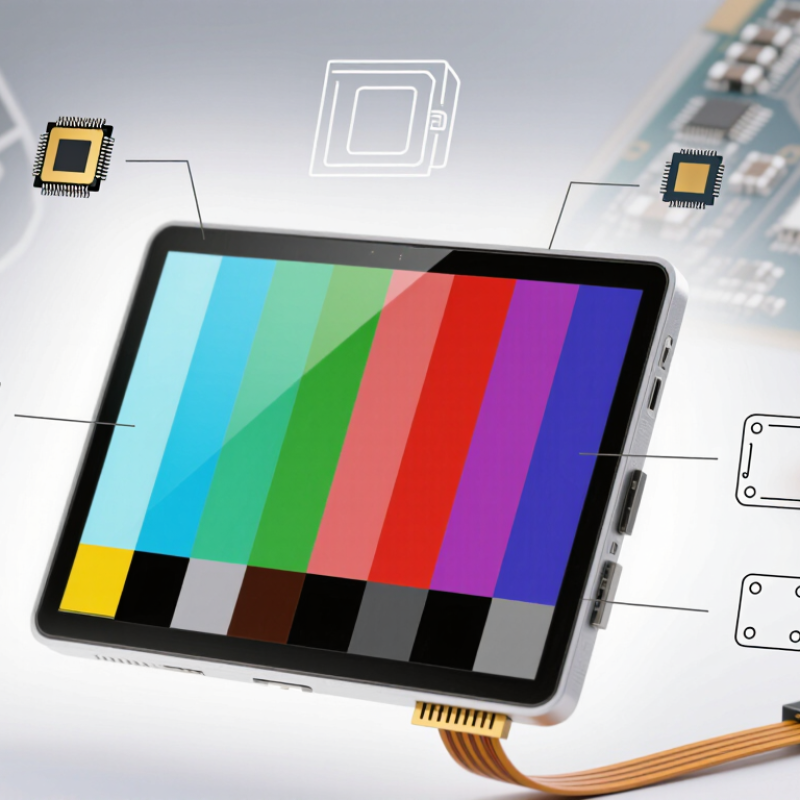
Understanding the Core Specifications of a 2.8-Inch TFT LCD Display
Choosing a 2.8-inch TFT LCD display starts with its core specifications, not its advertised color count. Industry reports from Grand View Research place the global TFT-LCD market on a steady growth path through 2030, driven by portable devices and industrial interfaces. That trend makes specification matching more important than size alone.
Resolution determines how clearly a small screen presents numbers, icons, and camera images. A common 320 × 240 panel provides readable control screens, while 480 × 640 offers sharper text and finer maps. Check the active area, not only the diagonal measurement. A 2.8-inch panel usually needs around 60–70 millimeters of viewing distance for comfortable handheld use. Brightness above 300 cd/m² helps indoors near windows. Outdoor work may need 800 cd/m² or more. Power consumption matters too. A typical module can draw several hundred milliwatts before backlight adjustment.
Interface choice affects the whole circuit. SPI saves pins but refreshes more slowly. Parallel RGB or 8080 interfaces support faster image updates, often with higher wiring and processor demands. According to Statista’s 2024 display-device data, portable electronics remain a major demand segment, yet field conditions vary widely. Check the viewing angle, 0°C to 70°C operating range, touch controller, and connector orientation. Small mistakes become expensive. I once underestimated cable clearance; the display fit, but the enclosure did not. Also, datasheets can hide backlight current behind typical values. Verify maximum ratings before approving samples.
Matching Display Resolution, Interface, and Controller Requirements
Choosing a 2.8-inch TFT LCD display begins with resolution, interface, and controller compatibility. Mordor Intelligence’s 2024 TFT-LCD Market report estimates the market at about USD 165 billion in 2024, with continued growth through 2029. This growth does not make every small panel interchangeable. A 320×240 display has 76,800 pixels. At 16-bit color, one full frame needs 153,600 bytes before protocol overhead. Small numbers matter.
For a dashboard with limited pins, SPI is attractive, but refresh expectations must remain realistic. Ten full frames per second require about 1.54 MB/s of pixel payload. A nominal 16 MHz SPI clock may barely cover it after commands and pauses. Parallel RGB reduces transfer pressure but uses more pins and routing space. MIPI DSI can be efficient, yet it requires compatible host hardware and careful lane configuration. Interface choice should follow motion, wiring, and firmware—not habit.
Controller matching is the quiet failure point. Confirm native 320×240 support, color depth, address-window commands, frame-buffer capacity, reset timing, and voltage levels. Ask for initialization code and timing diagrams. Omdia’s 2024 Display Long-Term Demand Forecast reports continued demand across industrial and automotive applications, but forecasts remain directional. I have seen a display pass a bench test, then tear during touch updates. That mistake was mine. Verify the real MCU, cable length, backlight PWM, and cold-start behavior.
How to Choose a 2.8-Inch TFT LCD Display in 2026?
Match the display resolution, interface bandwidth, and controller capabilities with your application requirements.
240 × 320 and 320 × 240 provide 76,800 pixels and are suitable for compact menus and basic instrument interfaces. Higher resolutions improve detail but require more display memory and bandwidth.
SPI uses fewer controller pins and is practical for lower update rates. Parallel RGB or MCU-style interfaces transfer more data per cycle and are better suited to frequent screen refreshes.
Verify resolution support, pixel format, addressing mode, frame-buffer capacity, and the required operating voltage before selecting the LCD controller.
Evaluating Touchscreen Options, Brightness, and Viewing Performance
When choosing a 2.8-inch TFT LCD display in 2026, touchscreen behavior deserves close attention. A capacitive panel responds quickly to bare fingers and supports light gestures. It feels natural for menus and compact control interfaces. A resistive panel can work with gloves, plastic styluses, or wet fingertips. However, it usually needs firmer pressure and may feel less smooth during rapid input.
Brightness should match the real installation, not just the product sheet. Indoor equipment may work well around 300 nits, while a window-facing device often needs 500 nits or more. Direct sunlight can still wash out a glossy surface. An anti-glare coating helps, but it may slightly soften fine text. I once tested a bright display under office lights and assumed it would perform outdoors. That assumption was wrong.
Viewing performance also depends on contrast, backlight uniformity, and viewing angle. Check the screen from above, below, and both sides. Colors may shift before the image becomes unreadable. For a dashboard, stable contrast matters more than perfect color accuracy. For camera previews, wider viewing angles are more valuable. Compare measured brightness after warm-up, because some backlights lose output over time. Touch accuracy should be tested near corners too. Small screens expose calibration errors quickly. A display can look excellent in a datasheet and still feel awkward in daily use.
Checking Size, Mounting Design, Power Use, and Operating Conditions
When choosing a 2.8 inch TFT LCD display in 2026, check the actual viewing area, not only the advertised diagonal size. The bezel can reduce usable space around the image. Measure the panel, circuit board, mounting holes, and connector position before designing an enclosure. Mounting details matter. Leave room for screws, cable bending, and ventilation near the backlight driver. A two-millimeter mismatch can stop an otherwise finished assembly. In one prototype, I placed the connector too close to a support wall. The display worked, but installation became unnecessarily difficult.
Power use deserves practical testing. Check the logic voltage, backlight voltage, peak current, and standby behavior from the datasheet. A bright screen may draw much more power than expected. Measure current during startup, full brightness, image changes, and sleep mode. These readings are more useful than a single typical-value table. Also examine operating conditions carefully. Confirm the rated temperature range, humidity limits, vibration tolerance, and sunlight performance. A display used inside a handheld meter faces different stress from one installed behind glass outdoors. At low temperatures, response speed may change. Under strong light, colors may look weaker. Test with the real enclosure, cable length, gloves, and viewing angle. I still leave extra design margin, because early bench results can look better than field conditions.
Comparing Suppliers, Quality Standards, Costs, and Long-Term Support
How to Choose a 2.8 Inch TFT LCD Display in 2026?
Supplier selection should begin with technical evidence, not attractive pricing. Request a working sample, full datasheet, and recent inspection records. Check brightness, viewing angles, touch accuracy, connector position, and controller compatibility. A 2.8-inch screen may look identical across suppliers, yet its colors can shift noticeably under warehouse lighting. Ask whether the supplier controls panel sourcing, assembly, and final testing internally. This often reveals where quality risks begin.
Quality standards need practical verification. Confirm material declarations for RoHS and REACH requirements, plus documented checks for temperature, humidity, vibration, and repeated touch use. Examine the display after extended operation. Look for uneven backlighting, dead pixels, flickering, or a warm connector. These details matter in medical equipment, industrial panels, and handheld instruments. Still, paperwork is not proof by itself. I have seen excellent certificates paired with weak sample consistency. That should encourage a second inspection.
Cost comparison must include hidden expenses. Consider tooling, sample fees, minimum order quantities, freight, rejected units, and engineering changes. A cheaper unit can become expensive after six months. Discuss production capacity, replacement policy, firmware support, and spare inventory. Ask how long identical panels and controllers will remain available. Written commitments are safer than verbal promises. Long-term support may feel less urgent than today’s quotation. It usually is not. Leave room for uncertainty, because component availability and display technology can change faster than expected.
How to Choose a 2.8 Inch TFT LCD Display in 2026? – Comparing Suppliers, Quality Standards, Costs, and Long-Term Support
| Evaluation Dimension | Typical Requirement for a 2.8-Inch TFT LCD | Supplier Type A Standard Module Supplier | Supplier Type B Custom Display Integrator | Supplier Type C Industrial Distribution Channel |
|---|---|---|---|---|
| Common Resolution | 240 × 320 pixels is widely used; 320 × 240 pixels is also common for landscape interfaces. | Usually offers several fixed resolutions. | Can evaluate alternative resolutions and active-area layouts. | Typically stocks only the most common resolutions. |
| Interface Options | SPI, 8080 parallel, RGB, or MIPI DSI depending on the controller and system architecture. | Common interfaces with standard pinouts. | Can support customized pin assignments, FPC length, and connector location. | Limited to catalog configurations. |
| Touchscreen Integration | Resistive touch is suitable for gloves and low cost; projected capacitive touch provides better multi-touch usability. | Optional resistive or capacitive touch variants. | Can define cover-lens thickness, bonding method, and touch-controller requirements. | Usually provides preconfigured touch options. |
| Typical Brightness | Approximately 250–500 cd/m² for indoor equipment; 700 cd/m² or higher may be needed for strong ambient light. | Standard indoor brightness is most common. | Can specify higher brightness, optical bonding, or anti-glare treatment. | Brightness choices depend on available inventory. |
| Viewing Angle | Typical TN-based modules may have narrower angles; IPS technology commonly provides approximately 80° or more per direction. | Standard viewing-angle choices. | Can match viewing angle and orientation to the enclosure and user position. | Usually offers limited panel technology choices. |
| Operating Temperature | Commercial range is commonly 0°C to 70°C; industrial versions may support approximately −20°C to 70°C or wider. | Commercial-grade modules are most readily available. | Can source industrial-temperature components when volume and design requirements justify it. | Industrial variants may be available but could require special ordering. |
| Estimated Unit Cost at 1,000 Units | Actual pricing varies by panel, controller, touch layer, backlight, testing, packaging, and logistics. | Approximately US$4–9 per unit | Approximately US$7–18 per unit, excluding one-time tooling or engineering fees | Approximately US$8–20 per unit, generally including distribution margin |
| Prototype Quantity | Small quantities help verify fit, firmware, brightness, touch response, and thermal behavior. | Often suitable for samples from 1–10 units. | May require engineering review before samples are produced. | Generally convenient for one-off engineering samples. |
| Minimum Order Quantity | MOQ depends on whether the item is a standard module or a customized design. | Commonly 100–1,000 units for standard configurations. | Often 1,000–10,000 units after design approval; customization may increase MOQ. | May support low quantities but at a higher unit price. |
| Typical Lead Time | Lead time is affected by inventory, panel availability, touch integration, and production scheduling. | About 2–6 weeks for standard production when components are available. | About 6–14 weeks for customized engineering and mass production. | Often 1–3 weeks for stocked items; special orders take longer. |
| Quality Documentation | Request a datasheet, dimensional drawing, electrical specification, inspection criteria, and change-notification policy. | Usually provides standard datasheets and inspection reports. | Can prepare a controlled specification, sample approval record, and customized inspection plan. | Documentation quality varies by supply channel. |
| Relevant Compliance Requirements | RoHS and REACH declarations are common for international products; additional system-level requirements may apply. | Usually able to provide material compliance declarations. | Can coordinate additional testing, traceability, and sector-specific documentation. | Documentation may be limited to the original catalog information. |
| Reliability Evaluation | Consider temperature cycling, high-temperature operation, humidity exposure, vibration, and backlight lifetime. | Standard reliability data may be available on request. | Can define application-specific validation and environmental testing. | Testing support is generally limited unless separately arranged. |
| Long-Term Availability | Ask for a product life-cycle statement and notification period for end-of-life changes. | Moderate availability; standard modules may be replaced by compatible revisions. | Best opportunity for a product-specific continuity plan and controlled revision management. | Availability depends heavily on upstream inventory and allocation. |
| Recommended Use Case | Cost-sensitive equipment, development kits, meters, controllers, and general embedded interfaces. | Products requiring a defined mechanical design, special touch interface, higher brightness, or environmental performance. | Rapid prototypes, replacement parts, low-volume builds, and projects requiring short purchasing cycles. |